AI object remover

Remove unwanted objects and people from photos

Brush over any distraction, person, product, or photobomber. ImageWise removes the selection and rebuilds the hidden background with generative AI.

Paint over the complete object or text. Red areas will be removed.

AI Object Remover

Paint the complete object in red, refine the mask if needed, and generate a clean result.

Remove objects

Upload a clear image, then paint over everything you want removed.
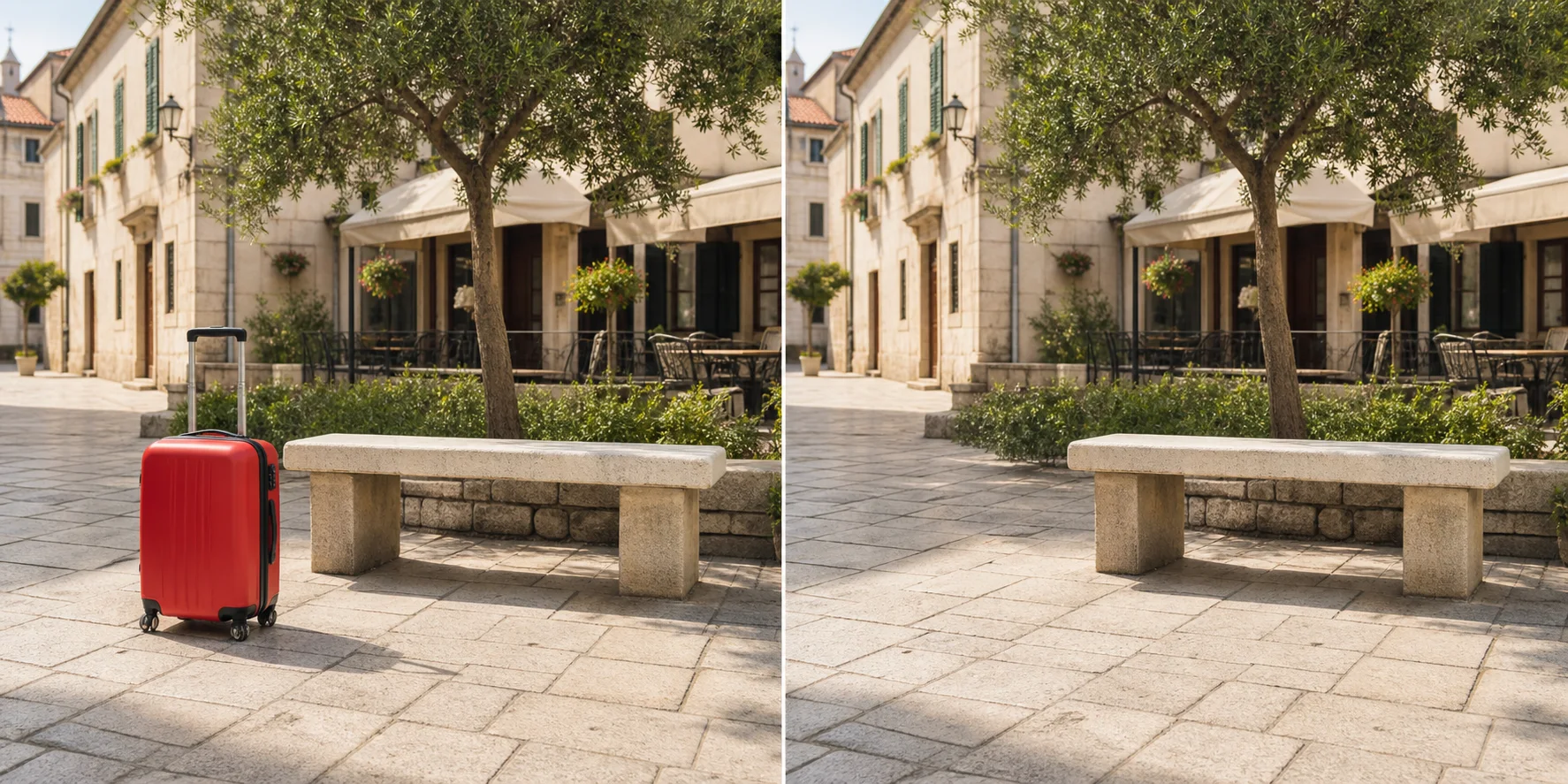
Before and after

See unwanted objects disappear

Compare the original photo with the AI-reconstructed result. The suitcase is removed while the bench, paving, shadows, and surrounding scene remain intact.

Before-and-after example of a red suitcase removed from a plaza photo with AIBeforeAfter

Designed for real image workflows

Remove distractions while keeping the photo natural

Select exactly what should disappear with a brush. ImageWise sends the image and mask to an AI inpainting model that reconstructs the covered area from its surroundings.

Remove photobombers, tourists, and unwanted people from travel or event photos.

Clean product photos by removing props, cables, labels, reflections, or background clutter.

Erase distracting objects from real-estate, social, and marketing images before publishing.

How to remove an object from a photo

Create an editable mask and let AI rebuild the area behind the selected object.

  1. 01

    Upload a JPG, PNG, or WebP image from your device or import one from a URL.

  2. 02

    Paint over the entire object or person in red, then use Refine mask to correct the selection.

  3. 03

    Run the AI remover, inspect the reconstructed background, and download the PNG result.

AI object removal questions

What objects can I remove from a photo?

You can select people, products, signs, cables, vehicles, blemishes, and most other visible distractions. Results are best when the surrounding background provides enough visual context.

How should I paint the removal mask?

Cover the complete object, including edges and shadows that should disappear. A small margin around the selection helps the model blend the reconstructed area naturally.

Does object removal preserve my original image?

Yes. ImageWise creates a separate result and does not overwrite the source file on your device.

Can I remove a person from a photo?

Yes. Paint over the complete person, including any shadow or reflection that should disappear. Results are strongest when nearby scenery provides enough detail for a natural reconstruction.

How does AI rebuild the background behind an object?

The model analyzes pixels around the mask and generates a visually consistent replacement. Repeating textures, open sky, walls, grass, and pavement are usually easier than faces, lettering, or unique structures.

What should I do if the first result looks unnatural?

Undo the mask, cover the full object with a slightly wider margin, and try again. For large or overlapping subjects, removing one area at a time can produce a cleaner blend.